How to Launch an Online Store Using Supplier Spreadsheets
Last updated: October 19, 2026
Got a business idea and a supplier’s Excel file, but no clue how to turn it into an online store? You don’t need to spend your evenings copying product descriptions.
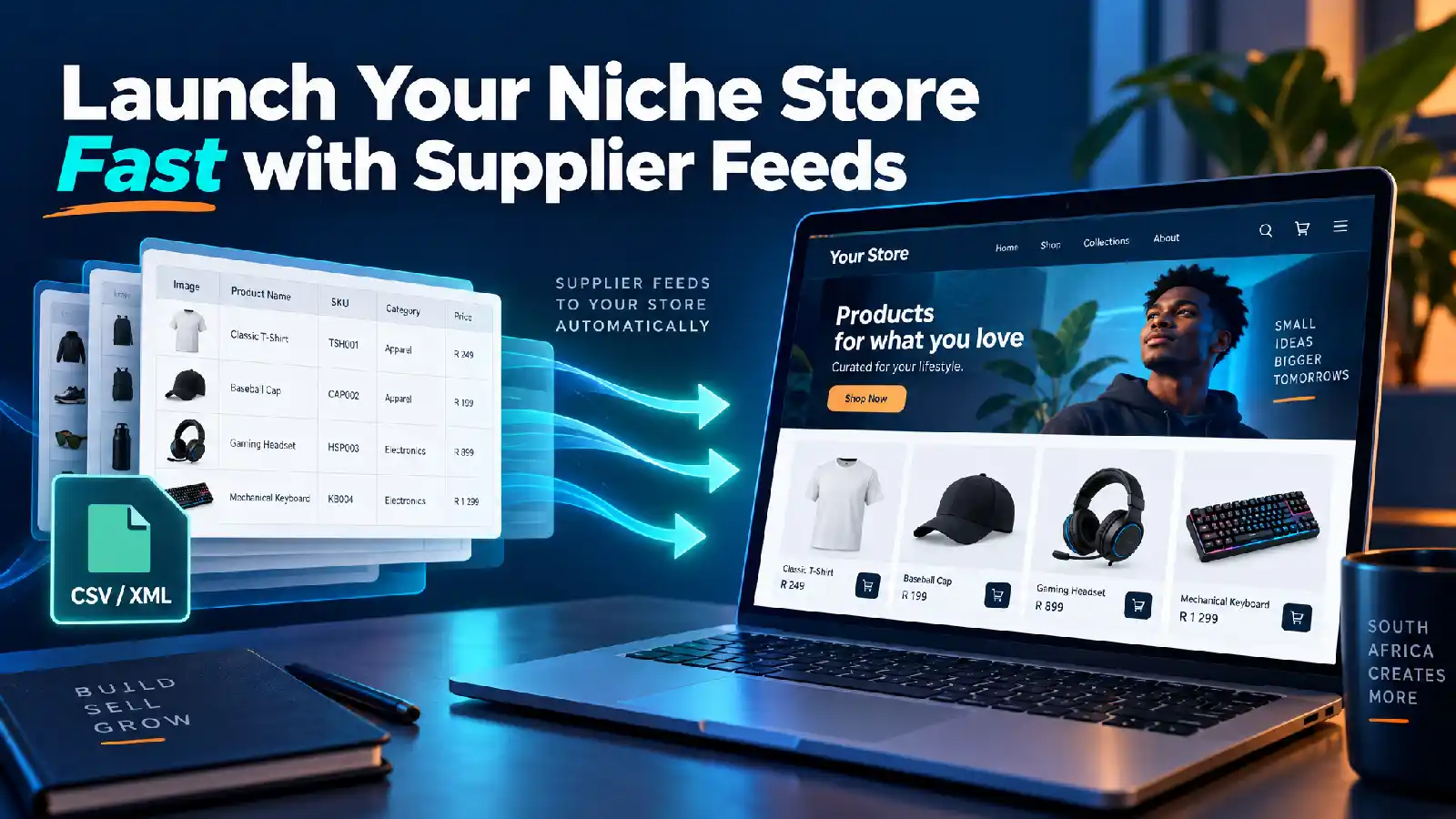
Supplier spreadsheets and XML feeds can help you build a catalogue without uploading every item manually. For South African entrepreneurs starting a side hustle or first business, that means less repetitive admin and more time finding customers.
Quick Answer
To launch an online store using supplier spreadsheets, get reliable product data, choose a compatible ecommerce platform, map the information, and test your import. Then set up stock and price updates. Your catalogue is the starting point—not a replacement for marketing, customer service, or reliable delivery.
Choose Your Niche Before Importing Everything
A huge supplier catalogue can tempt you to sell everything. Start with a focused range for a specific customer instead: home-office accessories, fitness equipment, or clothing basics.
Ask your supplier for:
- Unique product codes or SKUs.
- Product names, descriptions, and categories.
- Wholesale prices and VAT details.
- Stock quantities and image links.
- Sizes, colours, weights, and dimensions where relevant.
Confirm resale terms, image permissions, delivery arrangements, and returns responsibilities before launching.
Pro tip: Choose products you can confidently explain and promote, not just products available to import.
Understand Excel, CSV, and XML
These formats handle product information differently:
- Excel: Useful for checking prices, cleaning data, and choosing your range.
- CSV: A simple table format commonly used for product imports.
- XML: Structured product data that an import tool can retrieve from a supplier’s feed URL.
An XML feed is not automatically live inventory. Its usefulness depends on how often the supplier updates it.
Your tool may require Excel files to be converted to CSV. Check compatibility before choosing your platform. Our WooCommerce or Shopify guide can help you explore your options.
Can You Automatically Sync Inventory from Supplier Spreadsheets?
Yes! You can automatically update your online store's stock and prices from a supplier's spreadsheet. You just set a timer, and the system pulls in the latest info automatically.
Stock Sync Sheets turns a Google Sheet into a live stock update.
Sync connects spreadsheets, inventory systems, and APIs to WooCommerce in near-real-time.
How it works:
Supplier updates their sheet: The supplier updates their main spreadsheet or data file.
Automatic check: A tool checks that file on a set schedule (like every hour or day).
Store updates: Matching items in your online store update their stock numbers and prices automatically—no manual uploading needed.
Map Your Products Correctly
Field mapping tells your website where each piece of information belongs: product names become titles, image links become photos, and stock quantities become inventory.
WooCommerce import tools can handle CSV or XML mapping, variations, and selected-field updates. Features and automation depend on the tool and licence, as explained in Supplier feeds
Test Before Publishing
Import a small batch as drafts first. Check:
- Selling prices are not wholesale costs.
- Images match the products.
- Sizes and colours work correctly.
- Stock is tracked for each variation.
- Repeat imports update products rather than duplicate them.
Use stable identifiers, not product names, to match future updates.
Protect Your Profit Before Automating Prices
A markup is not the same as a profit margin.
Your selling price needs to account for supplier costs, payment fees, packaging, delivery contributions, advertising, returns, and applicable taxes.
Review pricing rules before applying them across your catalogue. Also decide which fields imports may overwrite, so supplier updates don’t erase your improved descriptions.
For setup costs, explore our ecommerce website packages. Feed integration requirements should be discussed separately.
Keep Stock and Prices Updated
Scheduled imports can refresh selected information without repeated manual uploads. Cron jobs trigger scheduled tasks; the right configuration depends on your hosting and import tool.
Pro tip: Check import logs and investigate failed or unexpectedly small feeds before allowing major changes.
Syncing reduces outdated information, but it cannot reserve supplier stock. Agree on an order-confirmation process and decide what happens when products disappear from the feed.
Build a Store People Trust
Imports don’t automatically send orders to suppliers or arrange shipping. Whether you hold stock or use dropshipping in South Africa, confirm who fulfils orders.
Before launch, add clear delivery information, returns policies, contact details, and suitable South African payment options.
Test checkout on your phone. Then improve your product descriptions and promote your selected range.
Ready to Turn Your Supplier File Into a Business?
Ready to Build Your Online Store?
Contact Webs.co.za to discuss launching an online store in just a few days. One of the most time-consuming parts of getting started is adding products—but with a supplier’s spreadsheet or product feed, we can help you build your catalogue faster.
We can help you create a focused micro-niche store using product data from suppliers such as:
Syntech
Rectron
Pinnacle
Barron
Amrod
Instead of trying to sell everything, start with a clear product focus, such as:
Computer and tech: gaming accessories, PC components, networking gear, or computer cables and adapters.
Clothing and promotional products: T-shirts, workwear, branded clothing, or caps and accessories.
The right niche depends on the products and data available from your supplier. Talk to Webs.co.za about your supplier feed and the store you want to build.
References
With over 21 years of experience, I specialise in designing and developing custom e-commerce websites and mobile apps for clients seeking to establish an online presence. I assist clients in building tailored e-commerce solutions and provide training on managing the backend, empowering them to run their online businesses independently.
Read more at
Linkedin